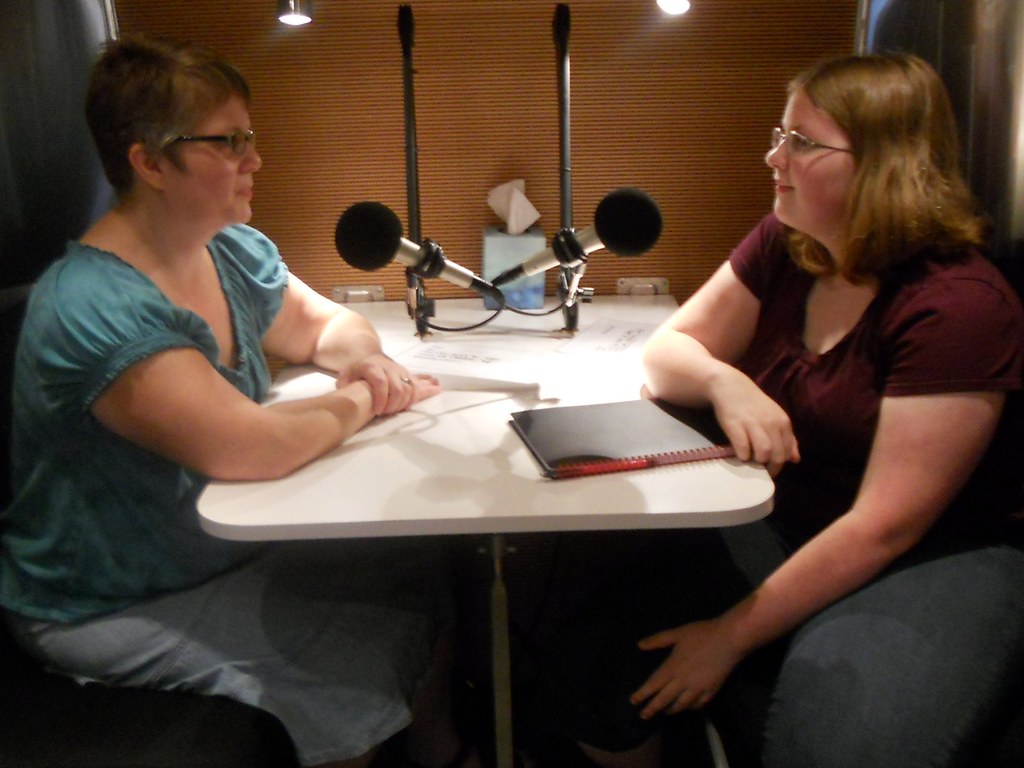
Interview transcription, speaker by speaker.
Drop the recording — a phone memo, a Zoom audio file, or the video itself. You get a timestamped transcript, label who said what, and export it before the coffee goes cold.
MP4 · MOV · MKV · WebM · AVI
Free · 1 file a day · up to 30 minutes each · no account · packs from $3 · 120-min files
Free files cap at 30 minutes. A credit pack takes a single file up to 120 minutes.
You've used your free file today. Buy a pack to keep going now.
When you say the project stalled, what actually happened in that first month?
We spent it arguing about scope. Everyone agreed on the goal and nobody agreed on what the first release contained.
And who eventually made that call?
I did, on a Friday, and I got it wrong. That is the honest answer.
Can we go back to the part about the first release? I want that in the piece.
Three things interviewers ask for first.
Speaker labels you control. Click the S tag on a line to cycle S1, S2, S3. No guessing model, no wrong attribution you have to fix later.
Back to the tape. Every line has a timestamp. Click it and the audio jumps to that moment, so you can check a quote against how it was actually said.
The master file stays put. Your browser pulls out the audio track locally; only a small compressed copy is sent for transcription.
How to transcribe an interview in three steps
- Drop the recording. If you recorded on a phone it will be M4A or MP3. If it came out of Zoom, Meet or a camera, drop the video file — your browser strips the audio track and ignores the pictures, so a 900 MB video is ready in seconds instead of uploading for ten minutes.
- Check the words that matter. Names, job titles and place names are where any speech model slips. Read through once and fix those — the transcript is fully editable, click and type.
- Label the speakers, then export. Set S1 and S2 on the lines that will be quoted, and export TXT for your draft, SRT if the interview also goes out as video, VTT if it plays on your own site.
Labeling speakers in an interview transcript
Automatic speaker detection is the feature everyone asks for and nobody trusts. It works on clean two-person audio and falls apart the moment someone interrupts, and in a transcript you are going to quote, a wrong attribution is worse than no attribution at all. So Verbatimly does the simpler thing: you label the lines. Every line carries an S tag — click it to cycle S1, S2 and S3. On a 40-minute two-person interview this takes a couple of minutes, and it is the difference between a wall of text and something a reader can follow. The labels are written into SRT and VTT exports, so the captions carry the speaker too.
Finding a quote in a long interview recording
The part of transcription work that actually eats time is not the typing, it is finding the sentence again. You remember roughly where it was and then you scrub. Because every line here is clickable, you can read the transcript like a page, find the passage that matters, click its timestamp, and hear exactly how it was said before you put it in quotes. That step is why a transcript beats a summary for interview work: a summary gives you someone else's sentence, and the quote you publish has to be theirs.
Interviews are not meetings
Meeting tools optimise for outcomes: action items, decisions, who owns what. They summarise, because nobody re-reads a meeting. An interview is the opposite — the sentences themselves are the product. A quote has to be word for word, in the order it was said, attributable to a named person, with a timestamp so an editor can check it. That is a transcript problem, not a summary problem, and it is why exporting the file matters more here than a highlights reel. Verbatimly exports TXT, SRT and VTT with the timestamps intact, so the transcript stays a primary source rather than a paraphrase of one.
Who transcribes interviews
- Journalists. Phone interviews, press calls, and recorded background briefings. Label the subject S2 so the quotes you lift are already attributed, then export TXT into the draft.
- Researchers. Semi-structured interviews for a thesis or a study, where the transcript is the data. The original recording never gets uploaded, which keeps the data path short when a consent form promises participants something specific.
- Product teams. User interviews, five a week, six weeks in a row. One file each, quotes copied into the synthesis doc with a timestamp that still points at the recording.
- Podcasters. Transcript as the episode page, SRT as the captions. Same file, two exports.
- Hiring teams. A second read of a candidate interview, without replaying the whole call. Check the file retention question before you put a real candidate recording into any tool, this one included.
Privacy, consent, and research interviews
Two separate promises matter here and it is worth not mixing them up. First, the original recording is never uploaded — your browser decodes the file and compresses only the audio, so the master recording stays on your machine. Second, the compressed audio that is sent for transcription is not stored after the transcript comes back, and is not used to train anything. What this service does not do is decide your consent terms for you. If an ethics board or a consent form says the recording stays on an encrypted drive, then a web tool with a server round trip may not be the right path at all, however briefly the audio is held. For everything short of that, keeping the master file local already removes the largest exposure.
Questions interviewers actually ask.
Does it detect who is speaking automatically?
No. Automatic speaker detection breaks down as soon as two people talk over each other, and a wrong guess is worse than no guess in a transcript you are going to quote. Instead every line has an S tag: click it to cycle S1, S2 and S3. Labels are written into the SRT and VTT exports, so captions carry the speaker too.
Can I transcribe a two-hour interview?
Yes — that is exactly what credit packs are for. The free tier is capped at 30 minutes per file; a credit pack takes a single file up to 120 minutes (two hours), so most full interviews go through in one piece. For anything longer, split the audio at a natural break and transcribe each part — the transcripts join back up cleanly because every line keeps its own timestamp.
Is the recording uploaded anywhere?
The original file never leaves your device. Your browser extracts the audio track and compresses it locally, and only that small compressed track goes to the transcription service. It is not stored after the transcript comes back.
How accurate is it with accents and background noise?
Accuracy depends on the recording, not on a setting. Clean one-on-one audio over a decent microphone transcribes almost verbatim. A phone call recorded in a cafe will lose some words. It detects the language automatically across 100+ languages, so a bilingual interview does not need a dropdown — though if someone switches language mid-sentence, expect a few errors at the switch.
Can I get captions for the video version?
Yes. Export SRT and it drops straight into YouTube, Premiere, Final Cut, DaVinci Resolve or VLC. Export VTT if the video plays on your own site in an HTML5 player. Both use the same timestamps as the transcript you edited.
Can I turn the transcript into subtitles?
Yes — export as SRT or VTT and the timings come from the audio. If you only have text and no timings, text to SRT estimates them from reading speed.
Is it free?
One file a day, up to 30 minutes each, no account. Every export — TXT, SRT, VTT — and speaker labelling is free. Credit packs are the only thing you can buy: 5 files for $3, or 20 files for $9. Files never expire, and both packs raise the per-file limit to 120 minutes. No subscription, no batch upload.
More tools
- Transcribe video to text
- Audio transcription
- Video to MP3
- Text to SRT — turn the finished transcript into subtitles
- MKV to SRT — pull an existing subtitle track out of a video file